
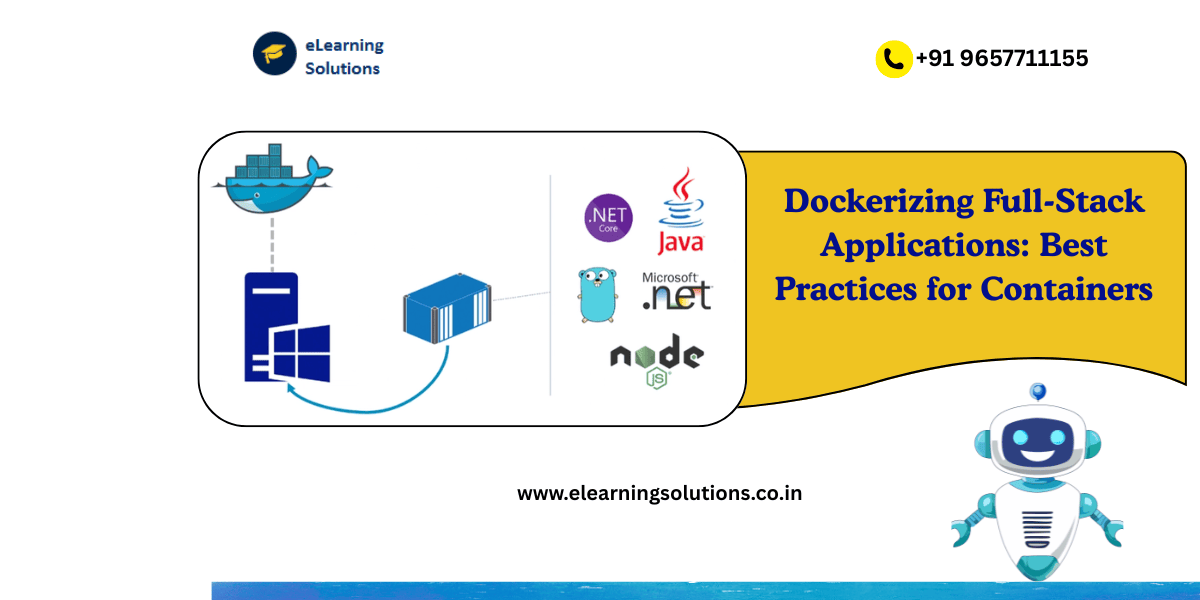
In today’s fast-moving development world, building applications that work seamlessly across environments is critical. One of the most transformative technologies enabling this consistency is Docker. Docker has become a go-to tool for developers and DevOps teams who want to simplify deployment, reduce “it works on my machine” issues, and scale applications effortlessly. For beginners, understanding the process of Dockerizing full-stack applications is not just a valuable skill—it’s an essential step toward mastering modern cloud-native development.
The Power of Docker in Modern Application Development
Docker’s core value lies in its ability to package your application and its dependencies into lightweight, portable containers. Whether you’re running a Node.js API, a React frontend, or a PostgreSQL database, Docker ensures that everything behaves the same across local, staging, and production environments. This makes collaboration between developers, testers, and DevOps teams smoother than ever.
For full-stack developers, Docker provides the tools to containerize both frontend and backend components, along with any databases or external services. Imagine having your entire stack—database, API, and UI—running in isolated containers that can be spun up with a single command. That’s the power of Dockerization.
Understanding the Building Blocks of Docker
Before diving into best practices, it’s crucial to grasp Docker’s core components. A Dockerfile is a blueprint defining how an image is built, specifying base images, dependencies, and configuration steps. Once the image is created, containers are instances of that image running in isolation. Docker Compose then comes into play to manage multiple containers—perfect for full-stack apps where backend, frontend, and databases need to work together.
For example, your full-stack project might consist of three main components:
- A frontend container running your React or Vue.js app.
- A backend container serving APIs via Node.js, Django, or Flask.
- A database container powered by PostgreSQL or MongoDB.
Docker Compose orchestrates all these components with a single configuration file (docker-compose.yml), ensuring smooth communication and startup order.
Why Dockerizing Full-Stack Applications Matters
Modern development environments are complex, with dependencies that differ across machines, operating systems, and networks. Docker eliminates this inconsistency by creating a uniform, reproducible environment for every developer and deployment stage.
Dockerizing a full-stack application allows you to:
- Maintain consistent builds across environments.
- Reduce onboarding time for new developers.
- Deploy applications faster with fewer configuration errors.
- Scale effortlessly with container orchestration tools like Kubernetes or AWS ECS.
In short, Docker not only accelerates development but also brings stability and predictability to your workflow—a must-have in agile software delivery.
Setting Up a Full-Stack Application for Dockerization
Let’s visualize a practical example: you’re building a simple web application with a React frontend, Node.js backend, and PostgreSQL database. Docker helps you package each part into its own container.
- Dockerfile for Backend: You define dependencies (Node.js, Express, etc.) and environment variables. The Dockerfile ensures your backend runs consistently anywhere.
- Dockerfile for Frontend: The React app can be built and served through Nginx or a lightweight Node.js server.
- Dockerfile for Database: Instead of installing PostgreSQL locally, you can use an official PostgreSQL image that runs as a container.
- Docker Compose: This single file ties it all together, defining how containers communicate and depend on each other.
Once your configuration is ready, running docker-compose up launches the entire application stack—fully functional, isolated, and ready for testing or deployment.
Best Practices for Dockerizing Full-Stack Applications
1. Keep Images Lightweight
Start from minimal base images like alpine versions to reduce build time and image size. Lightweight images not only deploy faster but also minimize potential vulnerabilities.
2. Use Multi-Stage Builds
Multi-stage builds allow you to separate build and runtime environments. For instance, you can build your React app in one stage and serve it via Nginx in another. This ensures only the necessary artifacts make it into the final image.
3. Manage Environment Variables Securely
Avoid hardcoding secrets in your Dockerfile or Compose file. Instead, use .env files or Docker secrets for sensitive credentials like API keys or database passwords. This approach maintains both security and flexibility.
4. Optimize Dockerfile Caching
Reorder instructions in your Dockerfile so that frequently changing files are added last. This allows Docker to cache earlier steps and speed up subsequent builds significantly.
5. Use Docker Volumes for Persistent Data
When working with databases or uploads, use volumes to persist data outside containers. This ensures that important data remains intact even if a container is rebuilt or stopped.
6. Leverage Health Checks
Define health checks in Docker Compose or Dockerfiles to ensure containers are functioning properly. For example, your backend API should return a successful response before the frontend starts interacting with it.
7. Automate Builds and Deployments
Integrate your Dockerized stack into CI/CD pipelines using tools like GitHub Actions, Jenkins, or GitLab CI. Automated builds reduce manual effort and ensure reliable deployments across environments.
Real-World Scenarios: Docker in Action
Docker has become an industry standard across enterprises and startups alike. Companies such as PayPal, Spotify, and Netflix leverage containerization to scale their systems efficiently. For instance, a fintech startup might run its React dashboard in one container, backend microservices in another, and database clusters on separate nodes. This modular setup ensures scalability, fault tolerance, and rapid iteration.
Even solo developers benefit from Dockerization. By sharing a single Docker Compose file, collaborators can spin up identical environments without manual configuration—saving countless hours of setup and troubleshooting.
Trends Shaping Dockerized Development
As cloud-native adoption grows, Docker continues to evolve. The rise of Kubernetes has expanded how Dockerized applications are managed at scale. Moreover, serverless containers and container security platforms are simplifying deployment further.
Another emerging trend is multi-cloud container deployment, where Dockerized apps run seamlessly across AWS, Azure, and Google Cloud. This flexibility empowers businesses to avoid vendor lock-in and leverage the strengths of different cloud providers.
For developers, mastering Dockerization is a future-ready skill—one that bridges the gap between development, operations, and automation.
Building Confidence Through Practice
Learning Docker is best done through hands-on experience. Start small—Dockerize a simple Node.js app or personal portfolio. Once comfortable, expand into full-stack configurations and explore Docker Compose, Kubernetes, and cloud integrations.
Experimentation will help you grasp how containers communicate, scale, and recover. The beauty of Docker lies in its simplicity—once you understand the core principles, deploying complex architectures becomes intuitive.
The Future of Full-Stack Development is Containerized
Dockerizing full-stack applications has reshaped how software is built, tested, and delivered. It encourages collaboration, speeds up iteration, and aligns development with real-world production environments. As businesses demand faster releases and higher reliability, containerization stands as a cornerstone of modern DevOps practices.
If you’re ready to take the next step, explore our curated learning materials, hands-on Docker projects, and cloud-native deployment guides. Start building resilient, portable, and scalable full-stack applications with Docker today—and unlock the potential of true modern development.
It might be helpful for you:
Which Type of Full-Stack Developer is Best for Beginners?
Exploring the Rapid Application Development Model: Speed
Find Your Preferred Courses
SAP SD S4 HANA

SAP HR HCM

Salesforce Administrator Training
Salesforce Developer Training

SAP EWM
Oracle PL-SQL Training Program
Pega Training Courses in Pune- Get Certified Now
SAP PP (Production Planning) Training Institute
ChatGPT can make mistakes. Check important info. See Cookie Preferences.


 WhatsApp us