
Hello everyone,
In this blog post, we will learn how to create an OData service in the SAP NetWeaver Gateway system. OData services are widely used in modern SAP applications such as SAP Fiori and SAPUI5, allowing external applications to securely access SAP data.
This tutorial explains the step-by-step process to model your first OData service using the Gateway Service Builder (SEGW).
Step-by-Step Procedure
Step 1: Open Gateway Service Builder
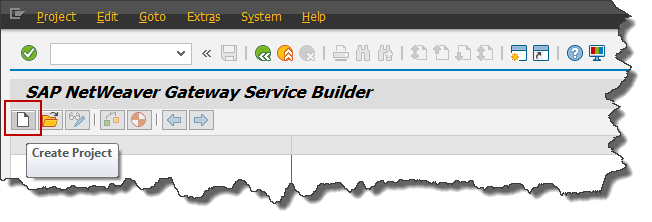
Go to the transaction code SEGW (Gateway Service Builder) in your SAP system.
SEGW is the main tool used to create, model, and manage OData services in SAP NetWeaver Gateway.
Step 2: Create a New Project
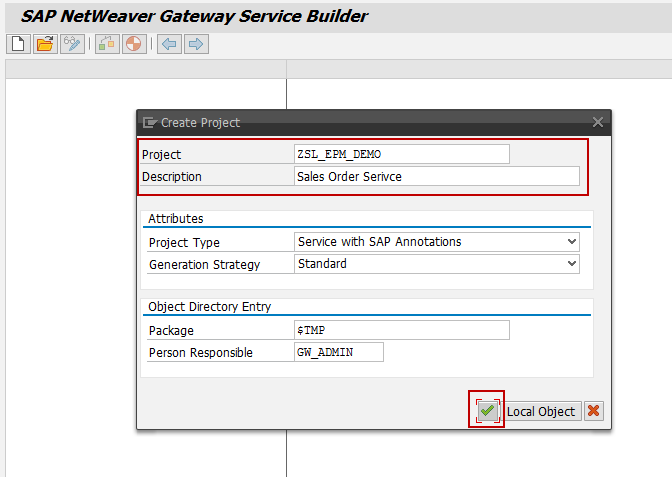
Click on Create Project.
Enter the required project details:
- Project Name
- Description
- Package
- Transport Request
After entering the details, click OK.
Your OData project will be created successfully.
Step 3: Project Artifacts Created
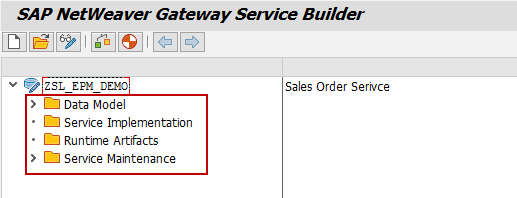
Once the project is created, the system automatically generates the following artifacts:
- Data Model
- Service Implementation
- Runtime Artifacts
These components help structure the OData service.
Step 4: Import Data Model (DDIC Structure)
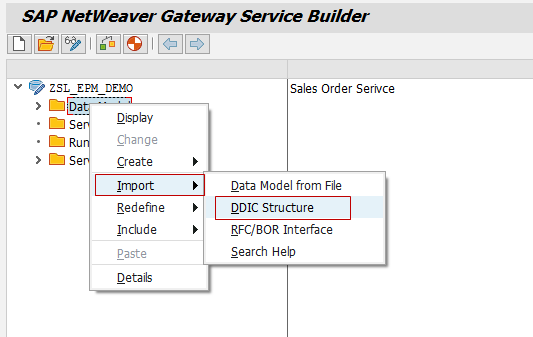
Now we will import a Data Dictionary structure.
Right-click on:
Data Model → Import → DDIC Structure
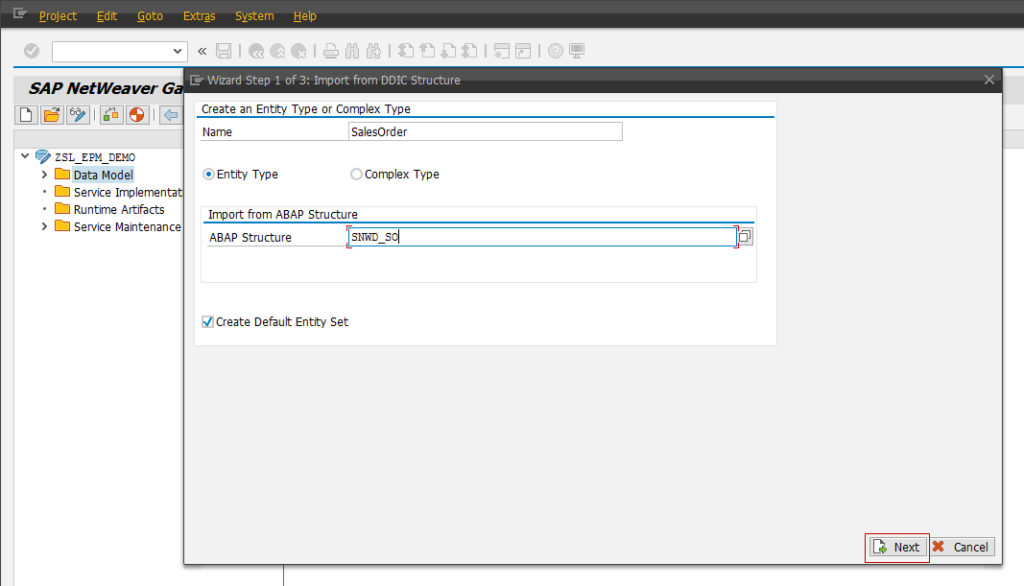
Then provide the following information:
- Name: SalesOrder
- Type: Entity Type
- ABAP Structure: SNWD_SO
Enable the option:
✔ Create Default Entity Set
Click Next.
Step 5: Select Required Fields
You will see the list of fields from the SNWD_SO structure.
Select the fields you want to include in the OData service and click Next.
Step 6: Define the Key Field
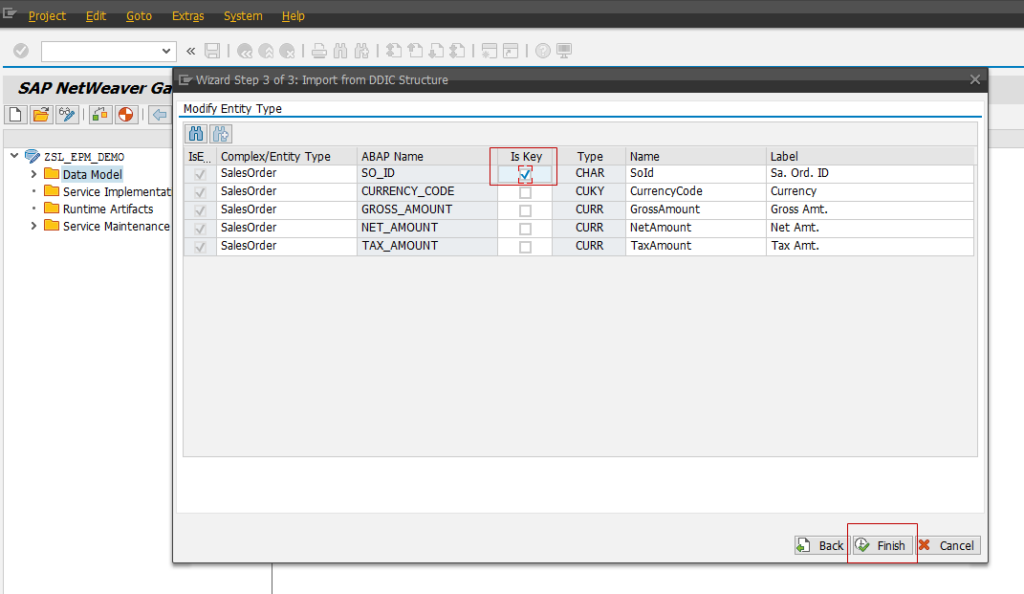
Choose SO_ID as the Key Field for the entity.
The key field uniquely identifies each record in the entity.
Click Finish.
Step 7: Entity Type Creation
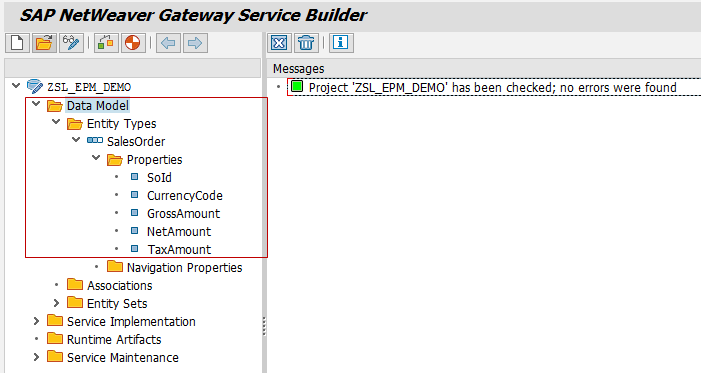
The system will now create the Entity Type successfully.
Expand the Data Model section and you will see:
- Entity Type – SalesOrder
- Entity Set – SalesOrder
- Properties (fields)
Step 8: Generate Runtime Objects
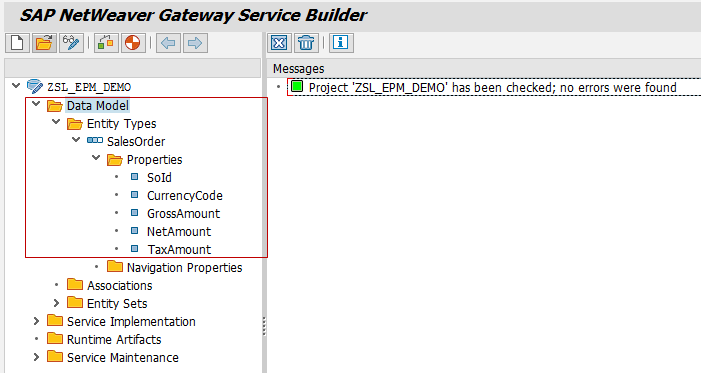
Click the Generate button to generate the required runtime artifacts for the service.
Step 9: Confirm Generation
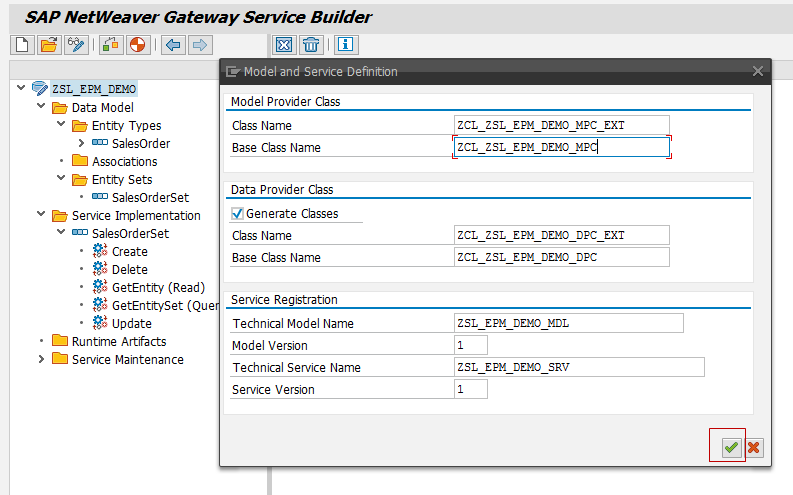
Click OK to confirm the generation.
SAP will automatically create the required ABAP classes and runtime objects.
Step 10: Service Generation Completed
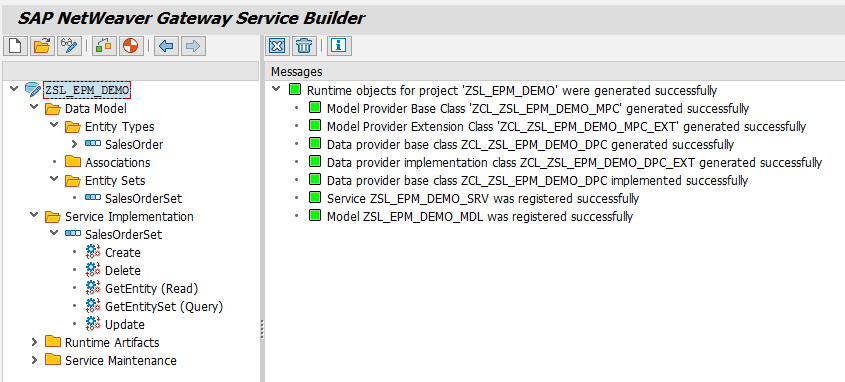
Your OData service is now successfully created in the SAP NetWeaver Gateway system.
You can now proceed with service implementation and data retrieval logic.
Conclusion
Congratulations! 🎉
You have successfully modeled your first OData service using Gateway Service Builder (SEGW).
In the next tutorial, we will learn how to:
- Implement the OData service
- Write ABAP code to fetch data from database tables
- Test the service in the SAP Gateway Client
Stay tuned for more SAP NetWeaver Gateway and OData tutorials.
If you found this tutorial helpful, please feel free to share your feedback or leave a comment. Your support keeps us motivated to create more useful SAP tutorials.




 WhatsApp us