

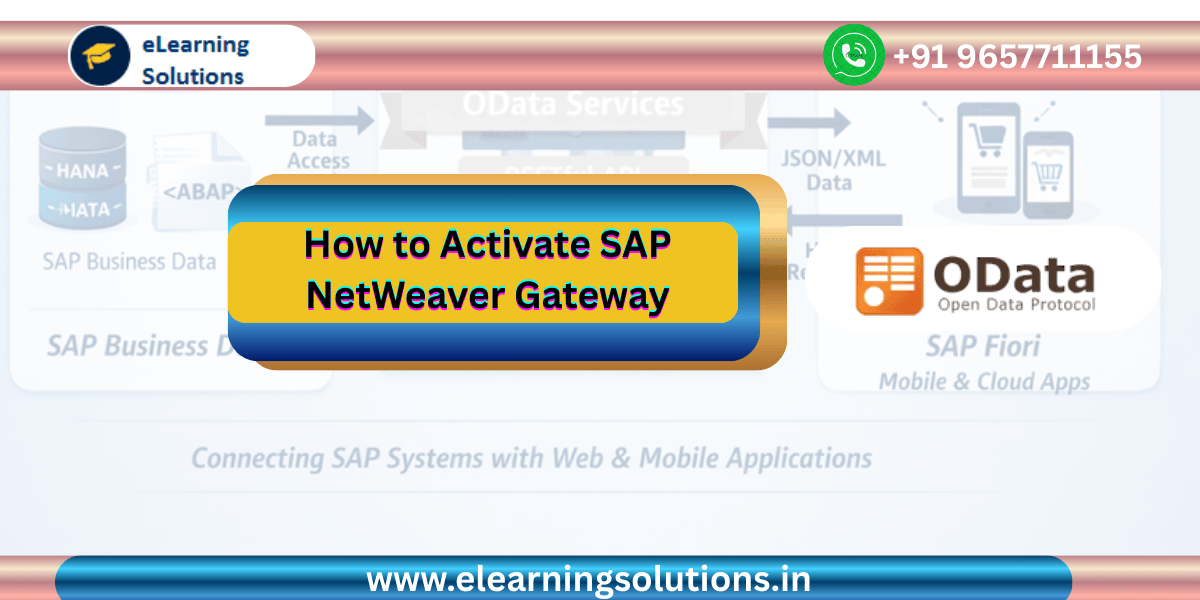
Introduction to SAP NetWeaver Gateway
SAP NetWeaver Gateway is one of the most important components in modern SAP landscapes. It enables seamless communication between SAP backend systems and external applications such as web apps, mobile applications, and SAP Fiori interfaces. By exposing SAP business data through standard web protocols, SAP NetWeaver Gateway allows developers to build powerful and flexible applications that interact with SAP systems in real time.
Many SAP technologies including SAP Fiori, SAPUI5, and mobile SAP apps rely heavily on OData services provided through SAP NetWeaver Gateway. Before developers can create and expose OData services, the SAP NetWeaver Gateway component must be activated in the system configuration.
In this guide, you will learn what SAP NetWeaver Gateway is, why it is important, and the exact steps required to activate it using SAP system configuration settings.
What is SAP NetWeaver Gateway
SAP NetWeaver Gateway acts as a bridge between SAP backend systems and external client applications. It allows developers to expose SAP data and business logic using REST based services through the OData protocol.
Instead of connecting directly to SAP database tables, external applications communicate with SAP through standardized services. These services ensure secure, structured, and controlled access to business data.
SAP NetWeaver Gateway provides several advantages for organizations implementing modern SAP applications.
It simplifies integration between SAP and non SAP systems.
It enables developers to build responsive user interfaces using technologies like SAPUI5 and SAP Fiori.
It exposes SAP business data through RESTful APIs.
It improves scalability and performance for enterprise applications.
Because of these benefits, activating SAP NetWeaver Gateway is an essential step in configuring an SAP system for modern development.
Why Activation of SAP NetWeaver Gateway is Important
Before developers can create or use OData services in SAP, the Gateway framework must be active in the system. If the Gateway component is not activated, the system will not be able to process OData requests.
Activation ensures that all required configurations and services related to SAP Gateway are enabled. Once activated, developers can start creating OData services using tools like Service Builder.
Activation is particularly important in scenarios involving SAP Fiori applications because Fiori applications rely completely on OData services.
Without SAP NetWeaver Gateway, the following functionalities will not work properly.
SAP Fiori applications
SAPUI5 based applications
Mobile SAP applications
External integrations through OData APIs
For this reason, SAP Basis administrators or developers must verify that Gateway services are activated before starting OData development.
Prerequisites Before Activating SAP NetWeaver Gateway
Before activating SAP NetWeaver Gateway, make sure that the following prerequisites are fulfilled.
The SAP system must have SAP NetWeaver Gateway component installed.
You must have proper authorization to access system configuration through SPRO.
SAP GUI access should be available.
System configuration permissions should be granted to the user performing the activation.
Once these requirements are satisfied, the Gateway activation process can be completed within a few minutes.
Step by Step Guide to Activate SAP NetWeaver Gateway
Activating SAP NetWeaver Gateway involves a simple configuration step inside the SAP Reference Implementation Guide. Follow the steps below carefully.
Step 1 Open SAP Reference IMG
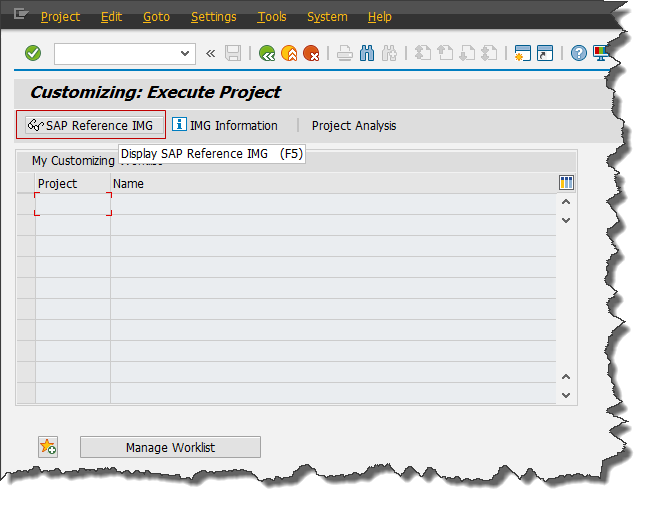
The first step is to open the SAP Reference Implementation Guide.
Log in to your SAP system using SAP GUI.
Enter transaction code SPRO in the command field and press Enter.
After executing the transaction, click on SAP Reference IMG.
The SAP Reference IMG screen provides access to system configuration settings used for customizing various SAP components.
Step 2 Navigate to Gateway Configuration
Once inside the SAP Reference IMG, navigate through the following configuration path.
SAP NetWeaver
Gateway
OData Channel
Configuration
This configuration section contains several settings related to SAP NetWeaver Gateway and OData service management.
Step 3 Open Gateway Activation Option
Inside the configuration folder, locate the option called Activate or Deactivate SAP NetWeaver Gateway.
This configuration option allows administrators to enable or disable the Gateway framework depending on system requirements.
Click on this option to open the activation screen.
Step 4 Activate SAP NetWeaver Gateway
On the activation screen, you will see the option to activate or deactivate the SAP NetWeaver Gateway.
If the Gateway is not activated, you can simply click on the Activate button to enable it.
Once activated, the system will allow the creation and execution of OData services.
In many systems, the Gateway may already be activated by default. In that case, the screen will display that the service is already active.
After activation, save the configuration if required.
Step 5 Verify Gateway Activation
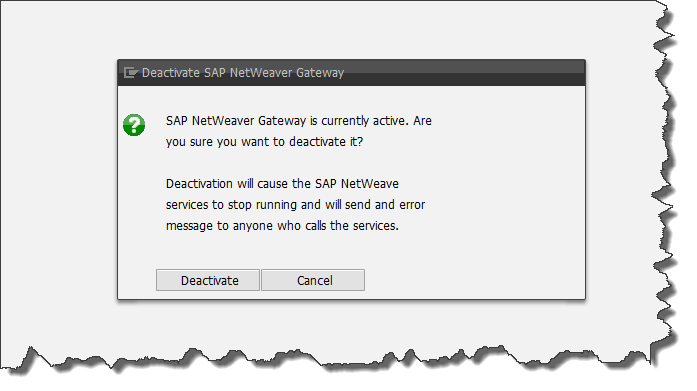
After activating SAP NetWeaver Gateway, it is important to verify that the configuration is working correctly.
You can verify activation using the following methods.
Open transaction code IWFND MAINT SERVICE and check whether Gateway services are available.
Use the SAP Gateway Client transaction code to test OData services.
Open an OData service URL in the browser to verify the response.
If the system returns a valid response, it confirms that the Gateway framework is working properly.
Understanding the Role of OData in SAP Gateway
OData plays a central role in SAP NetWeaver Gateway. It is the protocol used to expose SAP data to external applications.
OData stands for Open Data Protocol and it is based on REST architecture. It allows applications to access data using simple HTTP requests.
Developers can perform operations such as retrieving data, creating records, updating records, and deleting data through OData services.
For example, a sales order service can provide the following operations.
Retrieve list of sales orders
Retrieve a specific sales order
Create a new sales order
Update existing order details
Delete a sales order
These operations are executed using HTTP methods such as GET POST PUT and DELETE.
SAP NetWeaver Gateway converts these requests into backend ABAP logic and database operations.
Real World Example of Gateway Usage
Consider a company that wants to build a mobile application for its sales team. The mobile app needs to display customer information and sales order details from the SAP system.
Instead of giving direct database access, the company creates an OData service using SAP NetWeaver Gateway.
The mobile application sends a request to the Gateway service asking for customer data.
The Gateway service processes the request and retrieves data from SAP tables.
Finally, the data is returned to the mobile application in JSON format.
This architecture ensures security, scalability, and flexibility for enterprise applications.
Common Issues During Gateway Activation
While activating SAP NetWeaver Gateway is usually straightforward, sometimes developers may face certain issues.
One common issue is insufficient authorization. If the user does not have proper system permissions, the activation option may not work.
Another issue can be missing Gateway components in the SAP installation. In such cases, the system administrator must install the required SAP NetWeaver Gateway packages.
Configuration errors or incomplete system setup can also cause activation problems.
To resolve these issues, developers should work closely with SAP Basis administrators.
Best Practices for Working with SAP NetWeaver Gateway
To ensure smooth development and system performance, developers should follow some best practices while working with SAP NetWeaver Gateway.
Always test OData services using SAP Gateway Client before integrating them into applications.
Follow naming conventions for services and entities to make them easier to manage.
Implement proper authorization checks in backend services to protect sensitive data.
Optimize OData queries to improve performance.
Regularly monitor Gateway logs to detect issues early.
Following these practices helps maintain stable and efficient SAP Gateway services.
Conclusion
Activating SAP NetWeaver Gateway is a crucial step for enabling modern SAP application development. It allows SAP systems to communicate with web applications, mobile apps, and external platforms using OData services. By activating Gateway through the SAP Reference Implementation Guide, developers and administrators can enable the framework required for exposing SAP data securely. Once activated, organizations can leverage powerful technologies such as SAP Fiori, SAPUI5, and mobile applications that depend on Gateway services. Understanding the activation process ensures that developers can quickly configure their SAP systems and begin building innovative enterprise solutions.

 WhatsApp us