


Modern enterprise applications rely on efficient data retrieval mechanisms. Developers working with SAP systems often use OData services to exchange data seamlessly. Query options play a crucial role in controlling how data is fetched. They help applications request only the necessary information. As a result, performance improves and bandwidth usage decreases. This guide explains all major OData query options available in SAP NetWeaver Gateway with practical examples and implementation tips.
Understanding OData Query Options
OData query options are parameters added to service URLs to control data retrieval. These parameters always begin with the dollar symbol. Applications use them to filter, sort, expand, and limit results. Therefore, they improve response efficiency significantly. Instead of retrieving full datasets, developers request only required records.
For example, a sales dashboard may only need product names. Fetching full product data wastes resources. Query options solve this problem efficiently. They provide flexible control without changing the core service structure.
List of OData Query Options
OData services support several powerful query parameters. Each serves a specific purpose in data handling.
Select
Count
Expand
Format
Links
Value
Orderby
Top
Skip
Filter
Inlinecount
Skiptoken
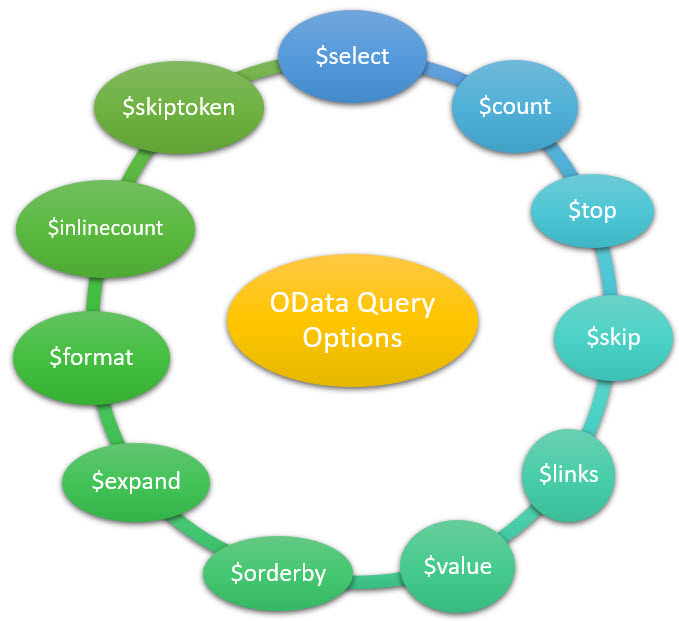
Some options work instantly without backend changes. Others require additional implementation in ABAP classes. Understanding this difference helps developers save time.
Query Options That Need No Implementation
These options work directly when appended to the service URL. The system processes them automatically. No backend coding is required.
Select Option
The select option retrieves only specified fields. It reduces payload size and improves performance. Use it when you need limited attributes from an entity.
Syntax example
server port sap opu odata sap service name ProductsSet select ProductId Name Description
Count Option
The count option returns the total number of records. It helps when pagination or reporting requires record totals.
Syntax example
server port sap opu odata sap service name ProductsSet count
Expand Option
The expand option retrieves related entity data in a single request. It avoids multiple service calls. This improves efficiency and reduces latency.
Syntax example
server port sap opu odata sap service name Suppliers expand Products
Format Option
The format option defines the response format. Developers commonly use JSON for modern applications.
Syntax example
server port sap opu odata sap service name ProductsSet format json
Links Option
The links option reads association links between entities. It is useful for relationship navigation.
Syntax example
server port sap opu odata sap service name Products 1001 links Category
Value Option
The value option retrieves the raw value of a property. It is helpful when only a single field value is needed.
Syntax example
server port sap opu odata sap service name Products 1000 Name value
Query Options That Require Implementation
Some options require backend logic adjustments. Developers must enhance the Data Provider Class extension. These changes enable advanced data manipulation.
Orderby Option
The orderby option sorts data based on fields. Users can arrange results in ascending or descending order. This is useful for reports and dashboards.
Top Option
The top option limits the number of records returned. It improves performance when only initial rows are required.
Skip Option
The skip option ignores a specified number of records. It supports pagination for large datasets.
Filter Option
The filter option retrieves records based on conditions. Developers apply logical expressions to narrow results. This improves relevance and efficiency.
Inlinecount Option
The inlinecount option returns record count along with data. It supports UI components that display totals.
Skiptoken Option
The skiptoken option supports server driven paging. It helps manage very large datasets efficiently.
Backend Implementation Requirement
To enable these options, developers modify ABAP code in the Data Provider Class extension. Logical handling must be written for filtering, sorting, and paging. Proper implementation ensures accurate responses. Therefore, backend knowledge becomes essential.
Practical Example of Query Usage
Consider a product catalog application. Users want only top ten products sorted by price. Developers use top and orderby together. This combination improves user experience. If users search for electronics only, filter applies instantly. The application becomes faster and more responsive.
Benefits of Using Query Options
Query options optimize performance significantly. They reduce unnecessary data transfer. Applications respond faster under heavy loads. User experience improves due to quicker results. Backend resources are also used efficiently.
Developers gain better control over service responses. Flexible queries support dynamic user requirements. Enterprise applications become more scalable.
Best Practices for Developers
Always use select to limit unnecessary fields. Combine filter with top for efficient searching. Use expand carefully to avoid heavy payloads. Implement paging when handling large datasets. Test query combinations for performance impact. Document supported options clearly for frontend teams.
Conclusion
OData query options are essential for efficient SAP service consumption. Some options work instantly without coding. Others require backend implementation. Understanding their usage improves performance and scalability. Mastering these options helps developers build powerful enterprise applications.
YOU MAY BE INTERESTED IN
ABAP Evolution: From Monolithic Masterpieces to Agile Architects
A to Z of OLE Excel in ABAP 7.4


 WhatsApp us