
SAP GUI Download, Installation & Configuration
Download SAP GUI software and follow this SAP GUI installation guide to install and configure SAP Logon step by step. Follow the screenshots and video tutorials to get started.
Download SAP GUI ↓ Installation GuideDownload SAP GUI Software
Select your operating system and download the appropriate package.
Windows 10 & Above
Download SAP GUI for Windows 10 and newer versions.
Windows 7 & 8
Download the legacy installation package for older Windows systems.
Apple Mac
Download the SAP GUI package provided for Apple Mac users.
SAP GUI Video Tutorials
Watch the video tutorials to understand installation and customization.
How to Install SAP GUI Software
Watch the complete SAP GUI installation tutorial.
Watch directly on YouTube →How to Change SAP GUI Theme
Learn how to change the appearance and theme of SAP GUI.
Watch directly on YouTube →SAP GUI Installation Guide
Follow these steps carefully to install SAP GUI on your computer.
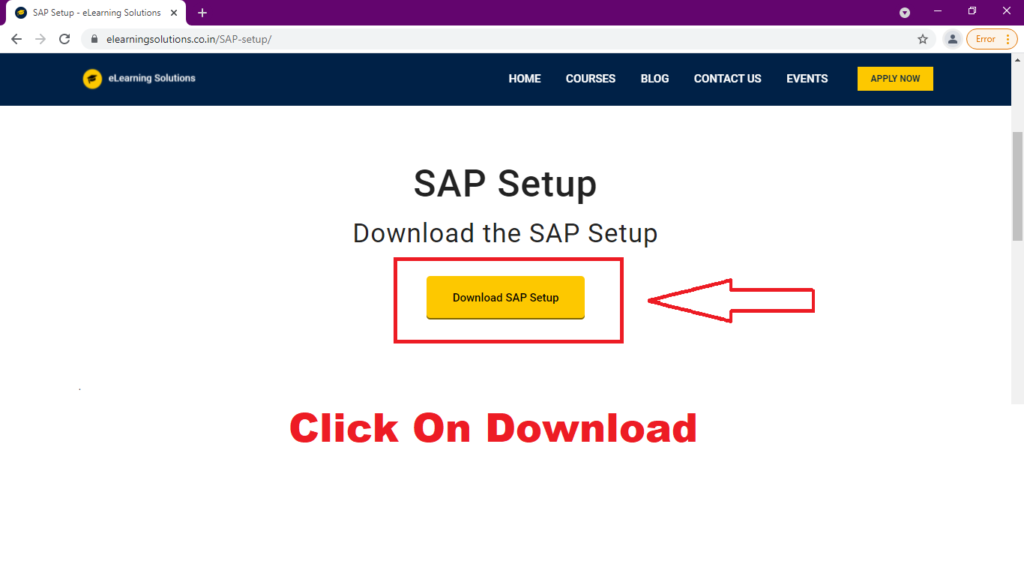
Click on the Download Link
Select the appropriate download link according to your Windows version.
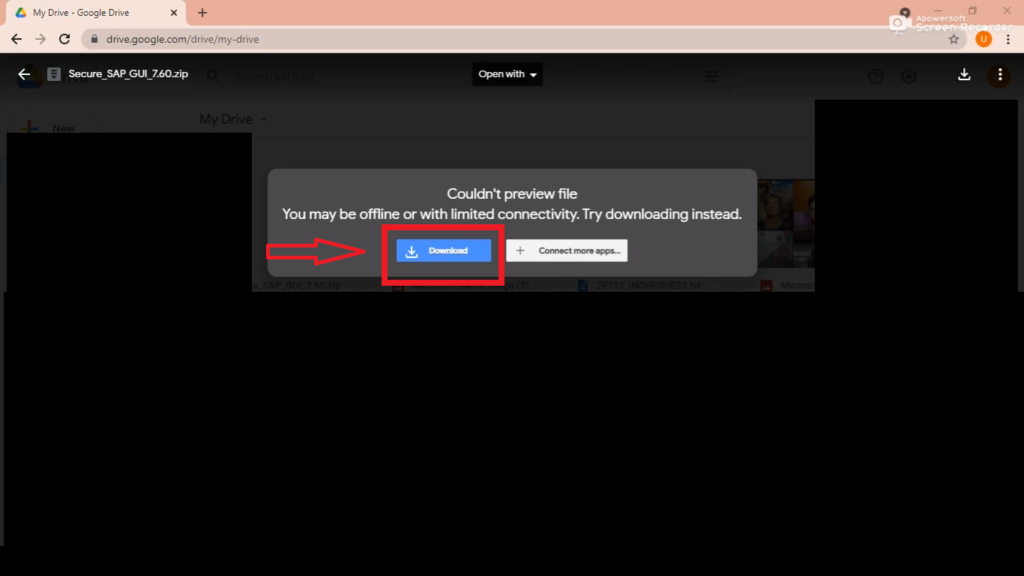
Download and Open ZIP File
Locate the downloaded ZIP file and open it.
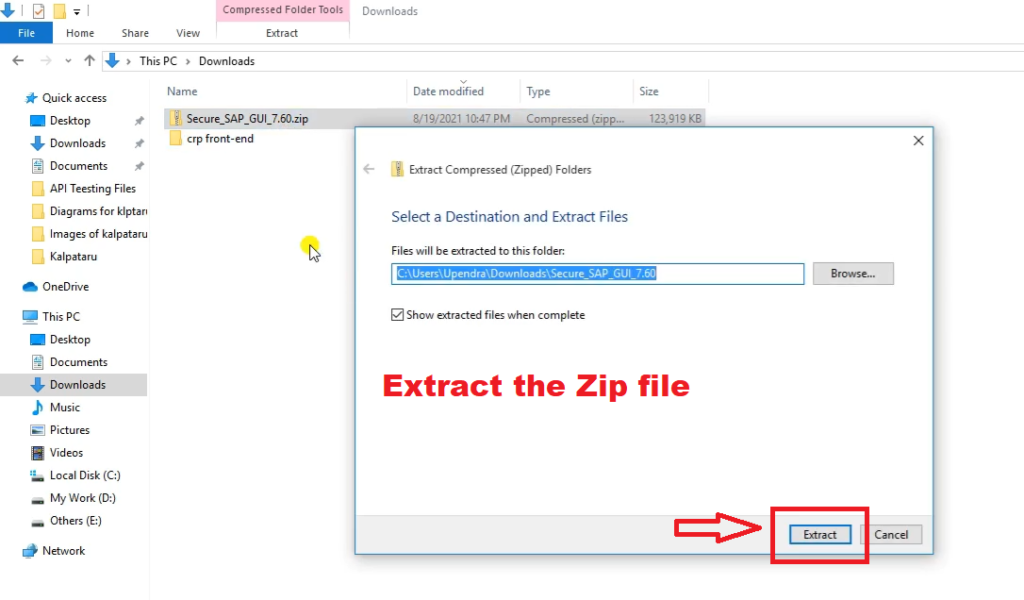
Extract ZIP File
Right-click the ZIP file and select Extract All.
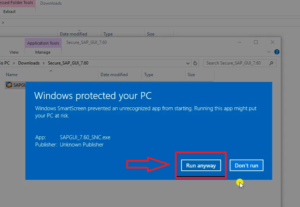
Run Setup File
Open the extracted folder and run the setup file.
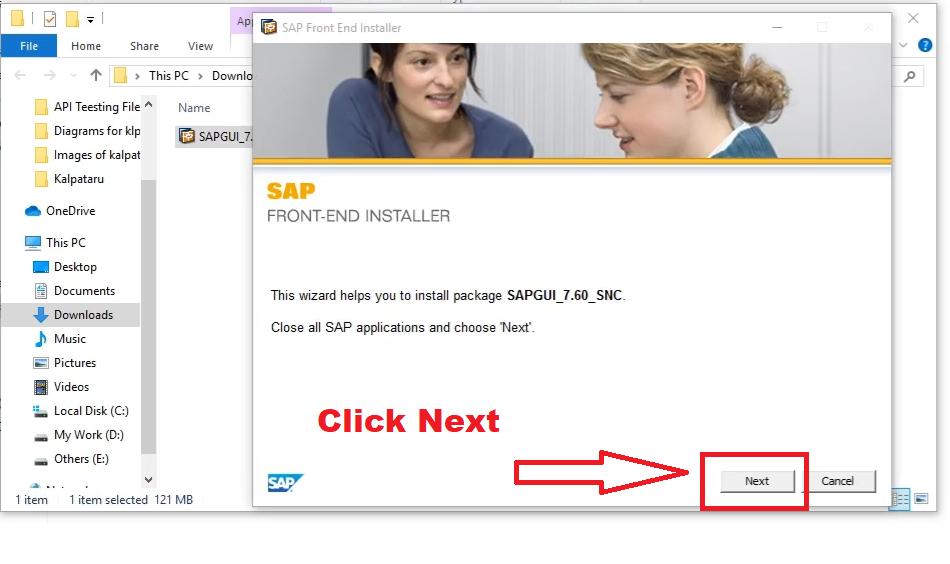
Click Next
Follow the installation wizard and click Next.
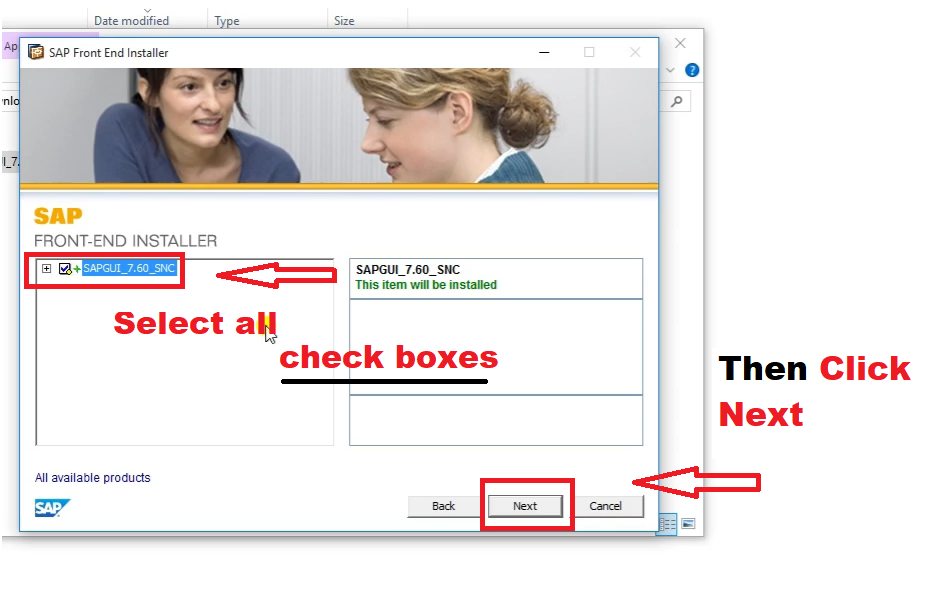
Select All Checkboxes
Select the required components as shown and click Next.
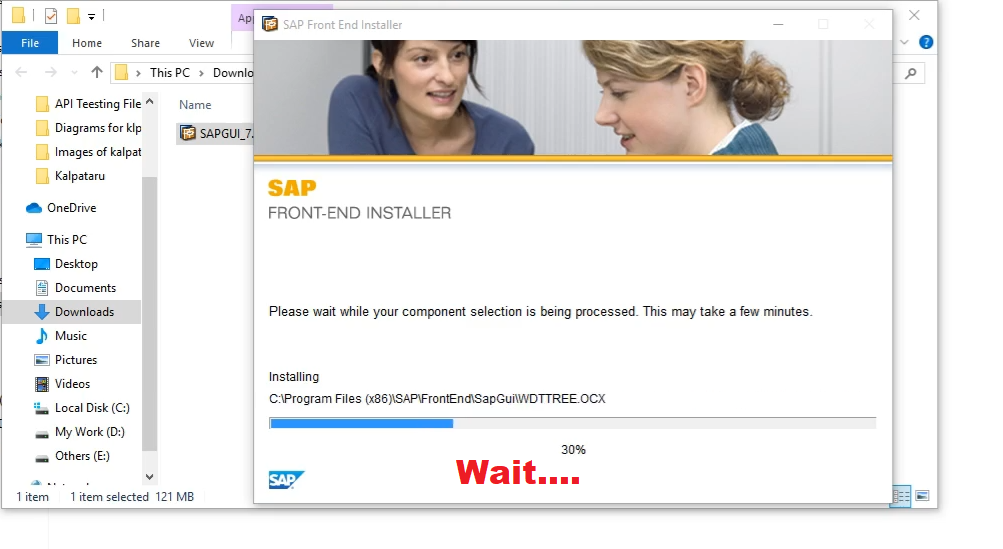
Wait for Installation
Wait until the installation process is completed.
Close Installation
Once the installation is complete, click Close.
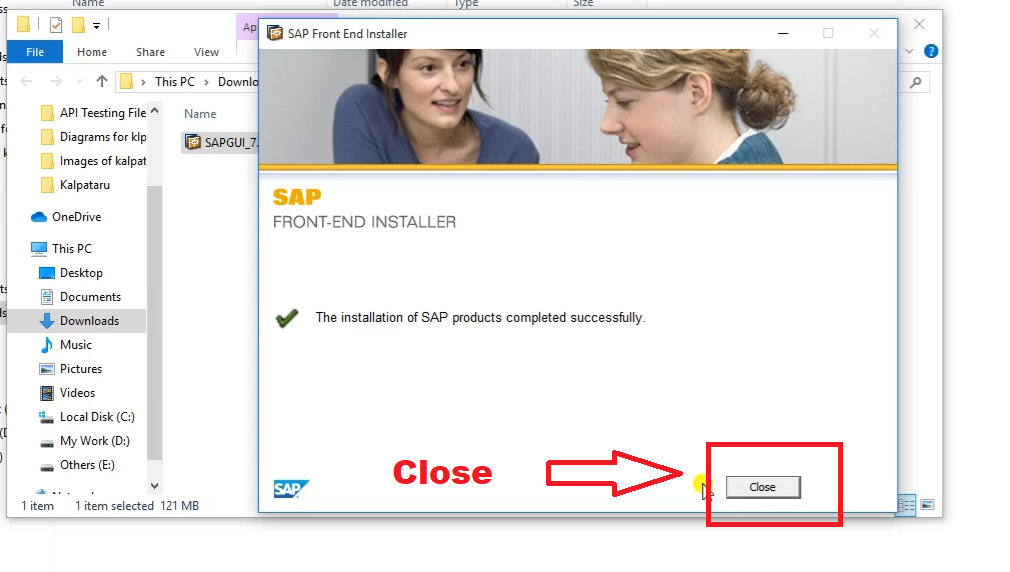
Installation Completed Successfully!
Now let’s configure SAP Logon and connect to your SAP training server.
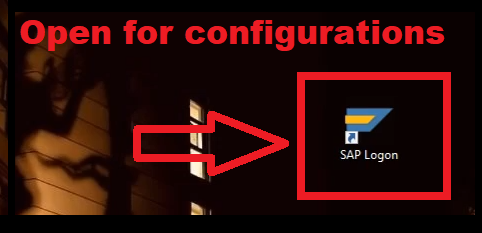
Open SAP Logon
Open the SAP Logon application from the desktop shortcut.
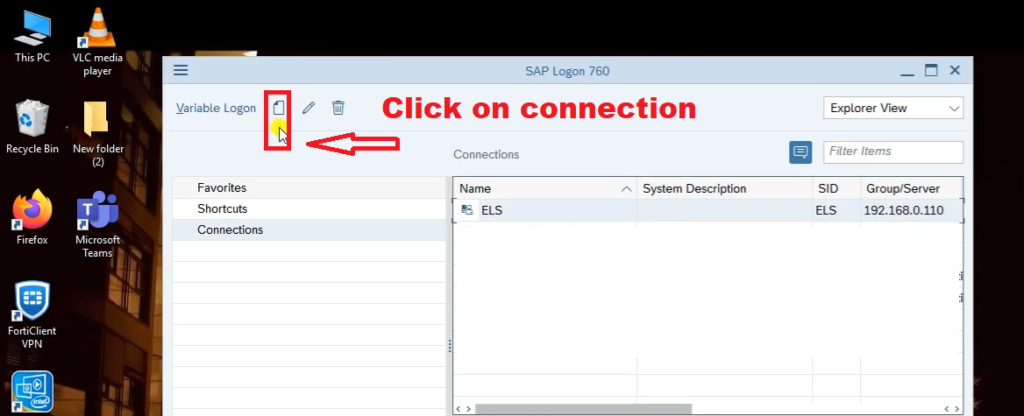
Click on Connections
In SAP Logon, click Connections to add a new server.
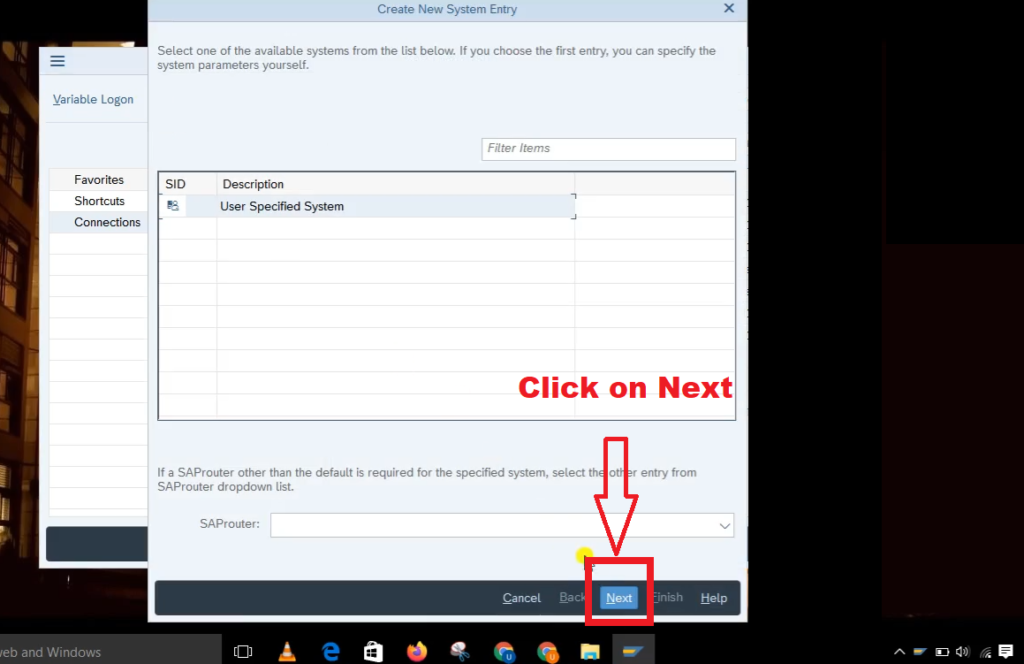
Click Next
Continue through the connection setup wizard.
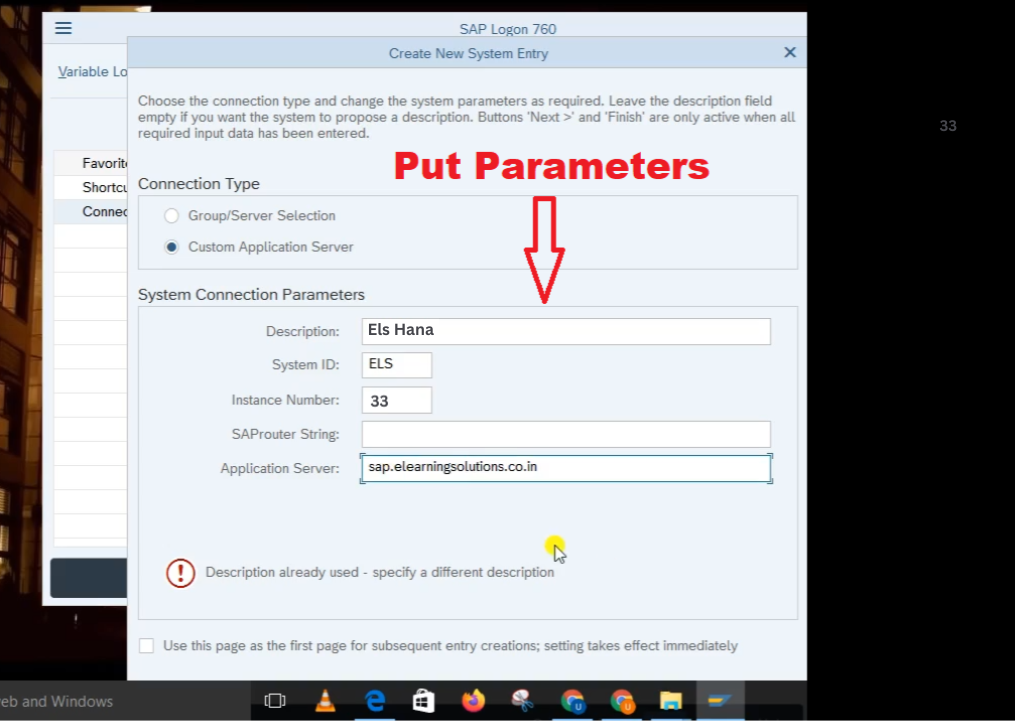
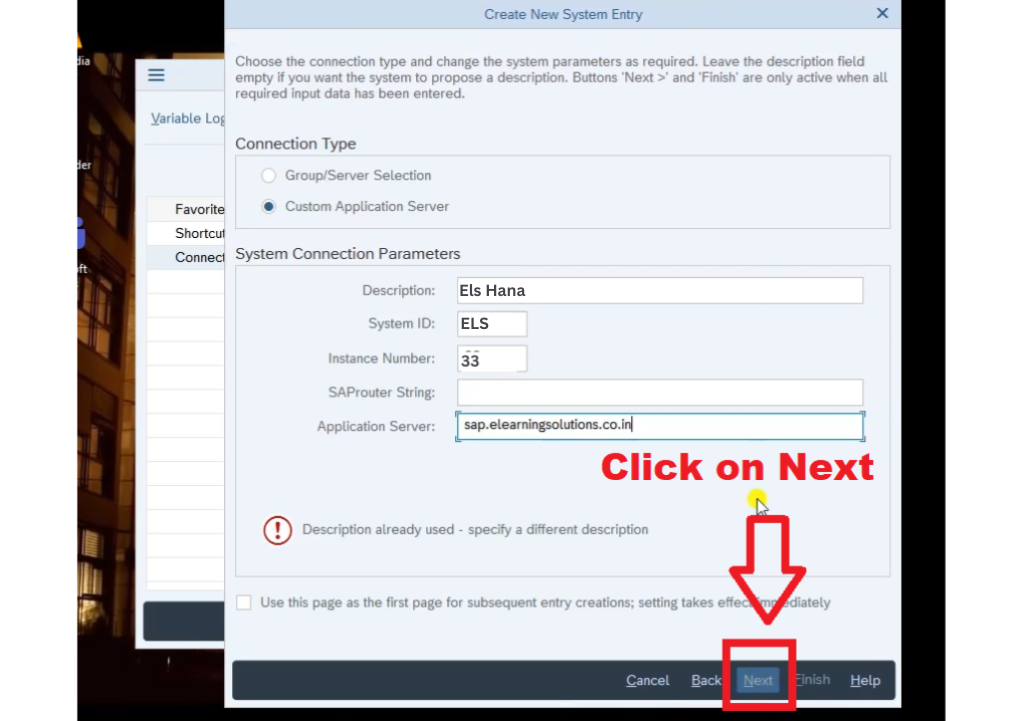
Fill in All Details
Enter the server connection details provided by your institute.
Click Next
Verify the connection details and proceed.
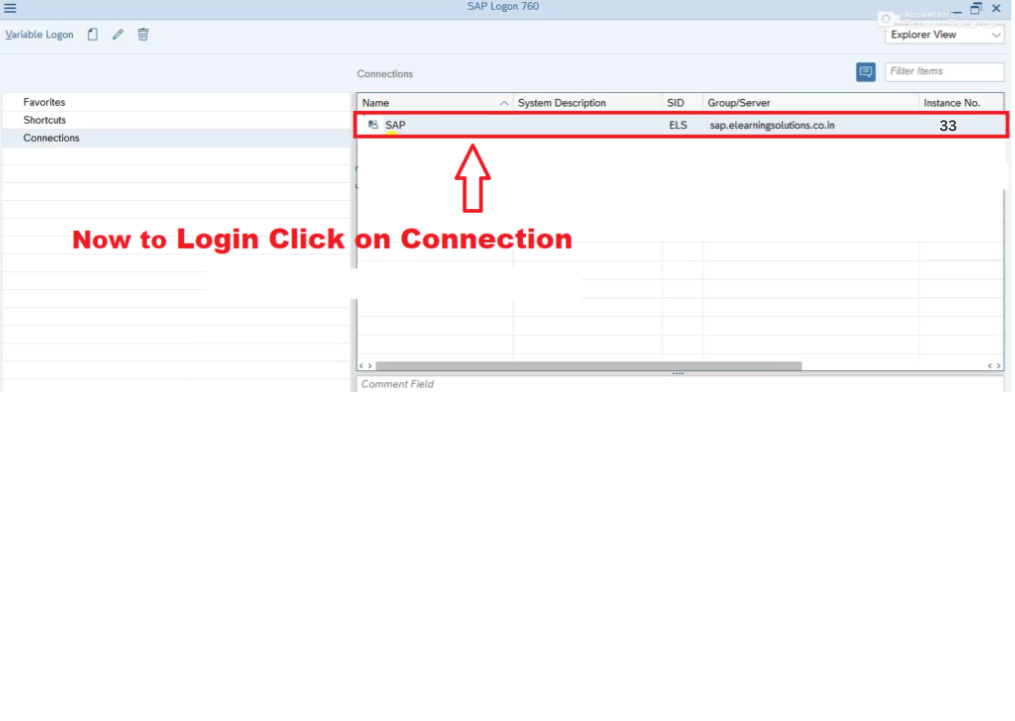
Open Connection
Return to SAP Logon and open your newly created connection.
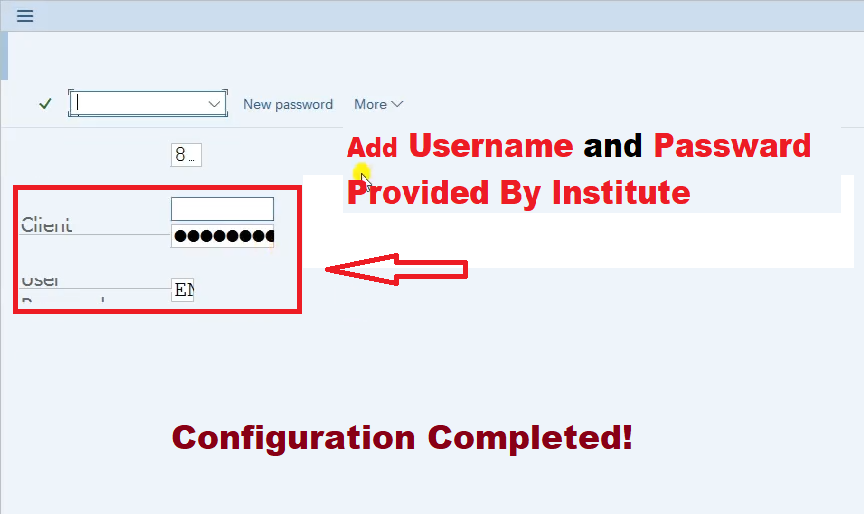
Enter Username and Password
Enter the login credentials provided by your training institute.
Congratulations! You’re Ready to Learn SAP.
You have completed the SAP GUI installation and configuration guide. Start practising SAP with eLearning Solutions.
Explore eLearning Solutions →Our Students Get Placed
Every card is a real student who trained with eLearning Solutions and received an offer. Swipe, use the arrows, or tap a card to view it in full size.
Your name could be on the next card.
Book a free demo class and talk to a trainer about the right SAP module for you.
Book a Free Demo Chat on WhatsApp

 WhatsApp us