
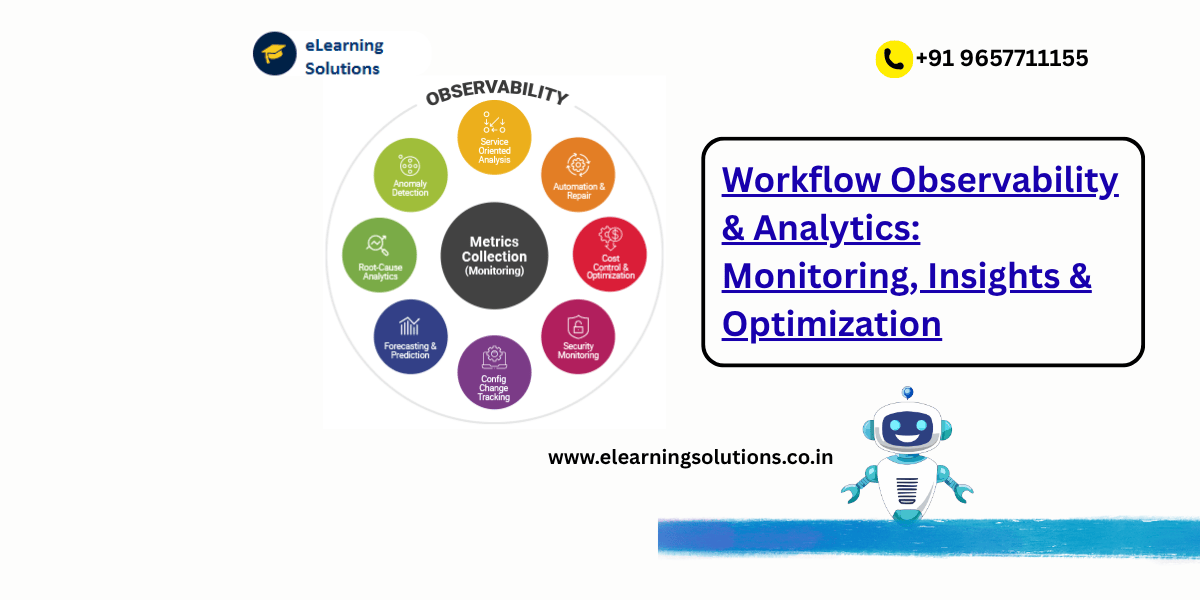
In today’s fast-paced digital world, automation is no longer optional — it’s essential. Every organization runs on workflows that connect departments, processes, and technologies. But as these workflows become more complex, one question arises:
“How do you ensure your workflows are performing efficiently, reliably, and transparently?”
That’s where Workflow Observability and Analytics step in. Whether you’re a beginner just exploring SAP workflows or an experienced professional managing enterprise automation, understanding this concept can transform how your business operates.
What Is Workflow Observability?
Think of observability as the “health check” of your workflows. It’s not just about whether a process runs — it’s about why it performs a certain way. Observability gives you deep visibility into every component of your workflow:
- How long each step takes
- Where bottlenecks occur
- What triggers errors or delays
- How often workflows fail or get stuck
In SAP or any enterprise system, workflows handle critical operations — approvals, data transfers, invoice matching, procurement cycles, and more. Without observability, these workflows can silently slow down business outcomes or lead to compliance risks.
The Role of Analytics in Workflow Optimization
While observability focuses on visibility, analytics focuses on improvement. Workflow analytics helps you gather insights from monitoring data and use them to optimize performance.
For example:
- Monitoring shows that 30% of approval workflows are delayed at the manager review stage.
- Analytics reveals that it’s because notifications are not reaching the right approvers on time.
- Optimization then means redesigning the process or automating reminders.
This combination — Observability + Analytics + Optimization — forms the backbone of Workflow Intelligence.
Why Workflow Observability Matters in 2025
In 2025, digital ecosystems are more connected than ever. SAP S/4HANA, SAP BTP, Salesforce, and third-party applications all work together to automate complex business processes. According to Gartner, by 2026, over 70% of enterprises will have adopted workflow observability tools to ensure process reliability and compliance.
Here’s why it matters:
- Proactive Problem-Solving: Observability enables early detection of issues before they affect end users.
- Performance Efficiency: Track and optimize each step of your process to minimize delays.
- Transparency & Compliance: Maintain audit-ready data trails for governance and regulatory reporting.
- Cost Savings: Identifying process inefficiencies can reduce operational expenses significantly.
In short, observability is not just a technical concept — it’s a strategic business advantage.
Key Components of Workflow Observability
To make workflows observable and measurable, businesses use a combination of tools and techniques. Let’s break it down:
1. Logging
Capturing real-time data about workflow execution — such as timestamps, transaction IDs, and user actions. Logs are the foundation of observability.
2. Metrics
Quantitative measurements that show performance — like processing time, completion rate, and error frequency. Metrics help identify trends and anomalies.
3. Tracing
This tracks the journey of a single workflow instance through multiple systems. In SAP, tracing is crucial to pinpoint integration issues between modules or APIs.
4. Dashboards
Visual dashboards (for example, SAP Cloud ALM or Grafana) offer real-time visibility into workflow status, SLAs, and KPIs.
5. Alerts & Notifications
Automated alerts warn administrators when a workflow fails, slows, or deviates from expected behavior.
Real-World Example: SAP Workflow Optimization in Action
Let’s look at an example of a procurement workflow in SAP:
A large enterprise processes thousands of purchase requisitions daily. Managers often complain that approvals take too long, delaying vendor payments.
Here’s how observability and analytics transform the scenario:
- Monitoring identifies that 40% of requisitions get stuck at the second approval stage.
- Analytics uncovers that approvers often overlook notifications in their inbox.
- Optimization adds an automated reminder system and escalations for overdue approvals.
Result: The average approval cycle time reduces from 48 hours to just 12 hours — improving vendor relationships and cash flow.
Market Trends: The Rise of Observability in Workflow Management
- Integration with AI and Machine Learning:
Predictive analytics now forecast workflow failures before they occur. AI models suggest optimization strategies based on historical data. - Shift Toward Cloud-Native Monitoring:
With SAP BTP (Business Technology Platform), observability tools are becoming cloud-first, offering scalability and real-time analytics. - Unified Dashboards for Multi-System Landscapes:
Companies are moving from siloed monitoring tools to unified observability platforms that track SAP, Salesforce, and other systems in one view. - Focus on User Experience (UX):
Observability now extends beyond backend systems — measuring end-user satisfaction, response times, and usability metrics.
Practical Tips for Beginners
- Start Small: Begin by monitoring one workflow (e.g., invoice approval) instead of the entire system.
- Use Built-in SAP Tools: Explore SAP Cloud ALM, Process Insights, and Business Process Intelligence for observability dashboards.
- Set SMART KPIs: Define measurable goals — for instance, reduce workflow cycle time by 20%.
- Automate Reporting: Schedule analytics reports to review workflow performance weekly.
- Encourage Collaboration: Involve both IT and business teams in workflow optimization discussions.
Relatable Example: Observability in Daily Life
Imagine you’re tracking your fitness progress using a smartwatch. It records your steps, heart rate, and sleep — giving insights into your overall health. Workflow observability does the same thing — but for your business health.
Without it, you’re walking blind; with it, you know exactly where to improve.
Tools to Explore for Workflow Observability
- SAP Cloud ALM – End-to-end observability and process analytics.
- SAP Process Insights – Identifies inefficiencies in your SAP workflows.
- Grafana / Kibana – Visual monitoring for logs and metrics.
- Dynatrace / New Relic – Advanced observability and tracing across distributed systems.
- Power BI / Tableau – Analytics dashboards for workflow reporting.
Each of these tools can be integrated into your observability framework to create a unified, data-driven approach.
Industry Insight
According to a Valantic SAP Study (2025), organizations that invested in workflow observability achieved:
- 28% faster process completion,
- 35% fewer workflow errors, and
- 25% higher employee productivity within six months of implementation.
Clearly, observability isn’t just a tech trend — it’s a profit enabler.
Final Thoughts: Observability Is the Key to Workflow Excellence
In the era of intelligent automation, workflow observability and analytics are your organization’s secret weapons for efficiency, transparency, and growth.
They help you move from reactive troubleshooting to proactive optimization.
If you’re just starting out, focus on understanding your workflows, identifying key metrics, and experimenting with visualization tools. Every insight brings you one step closer to a smarter, more agile enterprise.
Take Your Next Step
Ready to master workflow observability in SAP and beyond?
👉 Explore our advanced SAP Workflow courses and real-world case studies on our website to build your expertise and future-proof your career.
www.elearningsolutions.co.in to discover expert-led SAP Workflow courses that help you master AI-driven process automation, workflow design, and SAP Build integration — your first step toward becoming a next-gen SAP professional.
YOU MAY BE INTERESTED IN
How to Convert JSON Data Structure to ABAP Structure without ABAP Code or SE11?
ABAP Evolution: From Monolithic Masterpie




 WhatsApp us